


2 Windows Taskbars On Dual Monitors Windows 7
Dual monitors are awesome but can be a little restrictive in the default windows environment.
Normally you can only have one taskbar so when you have windows on the 2nd monitor they clutter up your one and only taskbar.
Now you can have 2 taskbars and more on your monitors, it feels like you are running multiple computers!
Multi Monitor Taskbar – Freeware & Even works with the latest Windows 7 unlike Ultramon(another monitor solution but $40)
or Direct download HERE
Screenshot of my monitors next to each other: 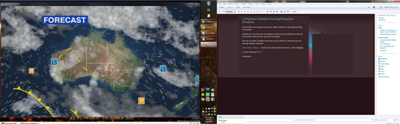
UPDATE: ULTRAMON now supports Windows 7. Goto here for latest download. http://www.realtimesoft.com/ultramon/download.asp
 Follow
Leave a comment
I’ll have to give it a go… been suffering without ultramon, which I love on xp. Mainly used it for different backgrounds on each screen.. but so many other small benefits you don’t notice until they’re gone!
Jeram
April 27, 2009
Are you able to pin programs to the taskbar?
Russell Bishop
July 30, 2009
no you cant, its a very basic old school taskbar
Ardorpes
August 2, 2009
I think display fusion is better
http://www.binaryfortress.com/displayfusion/
User
December 24, 2009
just gave this a quick try and it seems to work better than UltraMon…i use google chrome as a browser and with ultramon it was always hidden under the window, and for some reason it was hard to read the text from items on the taskbar…this prog fixes that. it’s way simple and way effective =)
Rasputin
January 4, 2010
Ultramon now supports windows 7 – http://www.realtimesoft.com/ultramon/download.asp
Ardorpes
May 20, 2010